Introduction
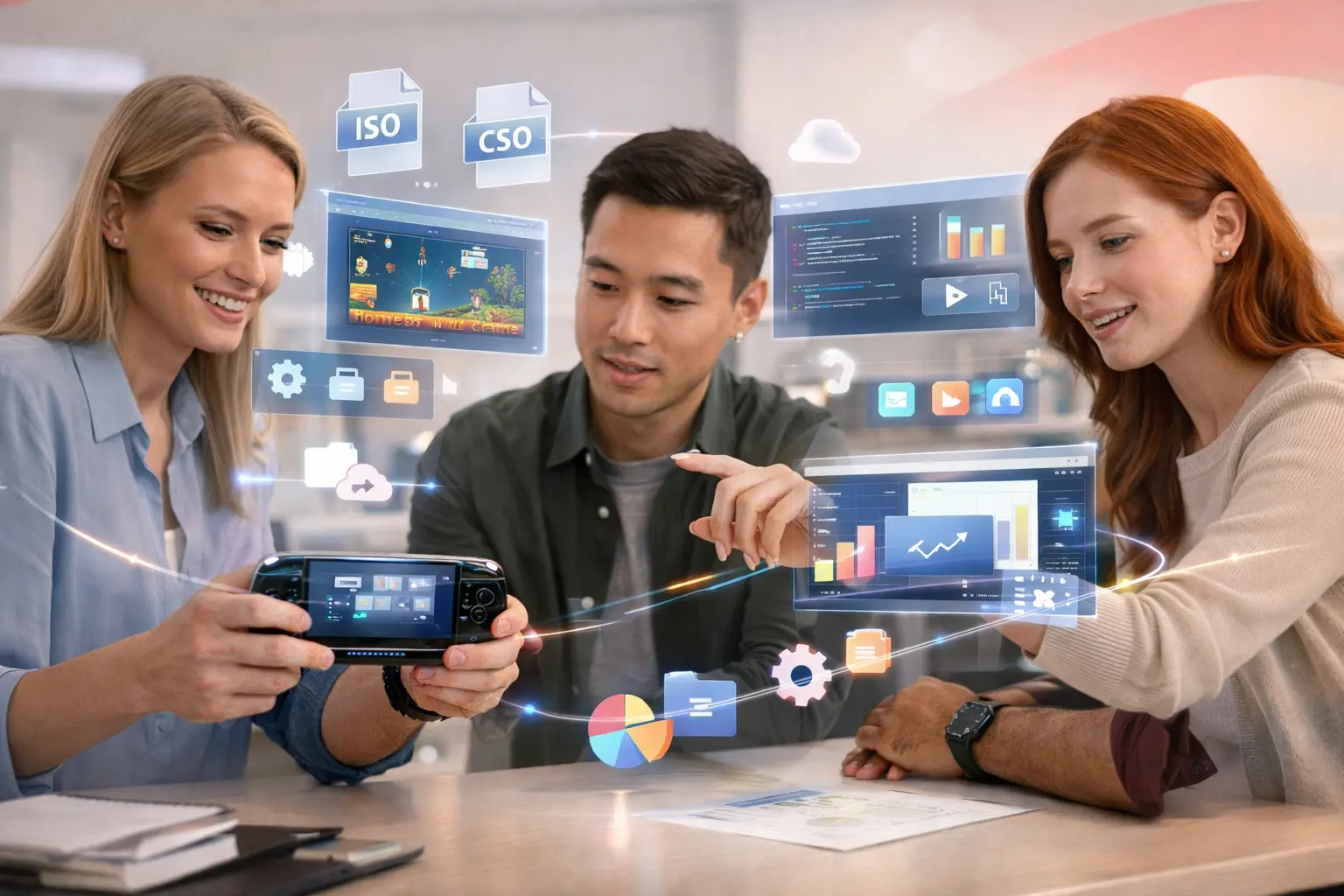
The PlayStation Portable (PSP) is one of the most iconic handheld gaming consoles ever created by Sony. Launched in 2004, the PSP changed how people experienced games on the go. At a time when mobile gaming was very limited, the PSP delivered console-like graphics, immersive sound, and a wide variety of games in a compact handheld device. Beyond gaming, the PSP was also capable of playing music, videos, and even browsing the internet, which made it far ahead of its time.
Even though Sony officially discontinued the PSP years ago, it has never truly died. A global community of developers, hobbyists, and retro gaming enthusiasts still actively use and modify the PSP today. One of the biggest reasons behind this long life is custom software and homebrew development. These allow users to unlock the PSP’s full potential beyond what Sony originally allowed.
People continue to develop custom software and homebrew on PSP for many reasons. Some do it for learning purposes, as PSP programming is a great way to understand low-level game development. Others want to create their own games, applications, or emulators. Many users simply enjoy customizing their PSP, running classic console games, or extending the device’s functionality far beyond its original limits.
In this guide, you will learn everything from the basics to advanced concepts of PSP custom software and homebrew. We will explain what software the PSP uses, how PSP programming works, what homebrew really means, how it differs from piracy, and what kind of apps and games you can build or run. You will also learn about firmware, emulators, tools, and the overall PSP development ecosystem. Whether you are a beginner or someone curious about retro development, this guide will give you a complete understanding step by step.
What Software Does the PSP Use?
To understand how custom software and homebrew work on the PSP, it is important to first understand what software the PSP actually runs. Unlike modern smartphones or PCs, the PSP uses a closed and tightly controlled system designed specifically by Sony.
PSP Operating System Overview
The PSP runs a proprietary operating system developed by Sony. This operating system is commonly referred to as PSP firmware. It controls everything on the device, including game loading, system settings, media playback, memory access, and security restrictions.
The PSP operating system is lightweight and optimized for the console’s hardware. It includes:
The XrossMediaBar (XMB) interface, which is the main menu you see when turning on the PSP
System services for games, audio, video, and networking
Security layers to prevent unauthorized software from running
Unlike Windows, macOS, or Android, the PSP OS is not open-source and does not allow users to freely install applications by default. Sony designed it to only run officially signed games and apps.
Official PSP Firmware vs Custom Firmware
Sony released many versions of official PSP firmware over the years. These updates improved performance, fixed bugs, added features, and most importantly, blocked security exploits used for running homebrew.
Official Firmware:
Only runs licensed PSP games and apps
Blocks unsigned or modified software
More secure but very limited
No homebrew or emulators allowed
Custom Firmware (CFW):
Modified version of official firmware
Allows homebrew applications
Supports ISO and CSO game backups
Enables plugins, emulators, and system customization
Custom firmware does not replace the PSP operating system entirely. Instead, it modifies or extends it, removing restrictions while keeping the system stable. This is what makes homebrew and custom software possible on the PSP.
What Are PSP Games Coded In?
Most official PSP games are coded using C and C++, which are powerful programming languages commonly used in game development. Sony provided licensed developers with the official PSP SDK (Software Development Kit), which included libraries, tools, and documentation.
Key technical points:
C/C++ are used for performance and hardware control
Games interact directly with PSP hardware like CPU, GPU, memory, and input
Sony’s SDK includes graphics, audio, and networking libraries
For homebrew developers, open-source alternatives to the official SDK are used. These tools replicate similar functionality and allow independent developers to create games and applications without Sony’s license.
What Is PSP Programming?
Definition of PSP Programming
PSP programming refers to the process of creating software specifically designed to run on the PlayStation Portable. This includes games, utilities, media players, emulators, system tools, and experimental applications.
PSP programming is considered low-level programming, meaning developers work closer to the hardware compared to modern app development. This makes it challenging but also very educational.
When you program for the PSP, you learn:
How hardware resources are managed
How memory limitations affect software design
How game loops and rendering pipelines work
Difference Between Official Development and Homebrew
There are two main paths for PSP development: official development and homebrew development.
Official Development
Requires Sony’s approval and license
Uses the official PSP SDK
Games are digitally signed by Sony
Intended for commercial releases
This path is no longer accessible to new developers, as Sony has stopped PSP game production.
Homebrew Development
Created by independent developers
Uses open-source SDKs and tools
Runs on custom firmware
Focused on learning, experimentation, and community sharing
Homebrew development is what keeps the PSP alive today. It allows anyone with enough curiosity and patience to create something new on this classic device.
Tools and Skills Required for PSP Programming
PSP programming does not require you to be an expert, but basic programming knowledge is very helpful.
Skills You Should Have
Basic understanding of C or C++
Familiarity with programming concepts like loops, variables, and functions
Logical thinking and problem-solving skills
Common Tools Used
PSP homebrew SDK (open-source)
PSPGU (graphics utility library)
Text editor or IDE (VS Code, Code::Blocks, etc.)
A PSP with custom firmware or a PSP emulator
Even beginners can start by modifying existing open-source homebrew projects and slowly learn how things work.
Understanding PSP Homebrew
What Is PSP Homebrew?
PSP homebrew refers to unofficial software created by independent developers for the PSP. The term “homebrew” means software that is not made or approved by the original manufacturer.
Homebrew software runs on PSP devices that have:
Custom firmware installed, or
Temporary exploits that allow unsigned code
Homebrew is created by enthusiasts who want to explore what the PSP can really do beyond its factory limitations.
Meaning of Homebrew Software
Homebrew software is usually:
Free to use
Open-source or community-driven
Built for learning, fun, or utility
It is not created for piracy. Instead, it focuses on creativity, education, and customization.
Homebrew exists on many platforms, including Nintendo consoles, PlayStation systems, and even smart devices. The PSP homebrew scene is one of the most active and mature among them.
Examples of PSP Homebrew Apps and Games
Over the years, thousands of homebrew projects have been created for the PSP.
Popular Homebrew Apps
Media players with extra codec support
File managers
System utilities
Network tools
Popular Homebrew Games
Indie platformers
Puzzle games
Arcade-style shooters
Game engine demos
Some homebrew games are so well-made that they feel like official PSP titles.
What Can PSP Homebrew Do?
PSP homebrew dramatically expands what the device can do.
Custom Apps and Utilities
Homebrew apps can turn your PSP into:
A custom media center
A file management system
A portable development device
Emulators
One of the most popular uses of homebrew is emulation. PSP homebrew allows you to run games from:
NES
SNES
Game Boy
PlayStation 1
This makes the PSP a powerful retro gaming console.
Games, Cheats, and System Tools
Homebrew also enables:
Custom games
Cheat engines
Performance plugins
System monitoring tools
These features were never officially allowed by Sony but are widely used today.
Is Using Homebrew Illegal?
This is one of the most common questions, and the answer is not as simple as yes or no.
Legal Aspects Explained Simply
Creating and running your own homebrew software is legal
Modifying your PSP firmware is generally legal in many regions
Downloading pirated games is illegal
The legality depends on what you do, not the tools themselves.
Difference Between Piracy and Homebrew
It is very important to understand this difference.
Homebrew:
Custom apps and games
Open-source or original content
Legal when not used for piracy
Piracy:
Downloading copyrighted games illegally
Sharing paid software without permission
Violates copyright laws
Homebrew is about freedom and creativity, while piracy is about unauthorized distribution. Responsible users respect this distinction.
Custom Firmware (CFW) Explained
Custom Firmware, commonly called CFW, is the backbone of everything related to PSP homebrew and custom software. Without CFW, the PSP remains locked to Sony’s original limitations. With CFW, the device becomes flexible, powerful, and fully customizable. Understanding what custom firmware is and how it works is essential before moving forward with PSP development or homebrew usage.
What Is Custom Firmware?
Custom Firmware is a modified version of the official PSP firmware. It is designed to remove restrictions placed by Sony while keeping the system stable and functional. Instead of replacing the PSP operating system entirely, CFW adds extra features and permissions on top of it.
When you install custom firmware, your PSP can run unsigned code, which means it can execute software not approved by Sony. This includes homebrew apps, custom games, emulators, and system plugins. CFW also unlocks deeper system controls that are hidden in the official firmware.
What CFW Means for PSP Users
For PSP users, custom firmware completely changes how the device can be used. A PSP with CFW is no longer limited to official games and apps. Users gain the ability to customize the system, improve performance, and extend the lifespan of their console.
With CFW, PSP users can:
Run homebrew applications
Play game backups from memory stick
Use emulators for classic consoles
Customize system behavior and appearance
For developers, CFW is essential because it allows testing and running custom-built software directly on real hardware.
Homebrew vs CFW – What’s the Difference?
Many beginners confuse homebrew and custom firmware, but they are not the same thing. They work together, but each has a different purpose.
Homebrew refers to the software, while CFW refers to the system environment that allows that software to run.
Conceptually, the difference is simple:
Homebrew = custom apps and games
Custom Firmware = system modification that allows homebrew
You can think of CFW as the door and homebrew as what comes through that door. Without custom firmware, homebrew cannot run on a real PSP.
Another key difference is that homebrew does not modify system files permanently, while CFW changes how the PSP loads and verifies software. This is why installing CFW requires more caution than simply copying a homebrew app.
Is CFW Safe to Install?
One of the biggest concerns for new users is whether custom firmware is safe. The short answer is: yes, if done correctly.
CFW has been used by millions of PSP users over many years. Modern custom firmware versions are stable, well-tested, and designed to minimize risk. However, like any system modification, there are risks if instructions are ignored.
Risks vs Benefits
The risks of installing custom firmware include:
Soft-bricking the PSP if installation fails
Temporary system instability if incompatible plugins are used
Voiding warranty (though PSP warranties are no longer relevant)
The benefits far outweigh the risks for most users:
Full access to homebrew and emulators
Ability to run ISO and CSO games
Better control over system performance
Extended device lifespan
When proper guides and trusted tools are used, the risk level becomes very low.
Things to Check Before Installing
Before installing custom firmware, users should make sure:
The PSP battery is fully charged
The correct firmware version is installed
The PSP model is identified correctly
Files are downloaded from trusted sources
Taking these steps reduces the chance of errors and ensures a smooth installation process.
What Can a Jailbroken PSP Do?
A PSP with custom firmware is often referred to as jailbroken. This simply means that system restrictions have been removed. A jailbroken PSP can do much more than a standard PSP.
Running ISO and CSO Games
One of the most popular features of CFW is the ability to run ISO and CSO files. These are digital copies of PSP games that can be stored on a memory stick. The PSP loads them directly without needing a physical disc.
ISO files are uncompressed and load faster, while CSO files are compressed and save storage space. CFW supports both formats, giving users flexibility depending on their needs.
Emulators, Plugins, and Cheats
Custom firmware enables powerful enhancements:
Emulators allow the PSP to run games from older consoles
Plugins modify system behavior such as performance, visuals, or controls
Cheat engines enable in-game modifications
These features make the PSP more than just a gaming console; it becomes a multi-purpose handheld system.
How to Check Your PSP Model and Firmware
Before installing CFW, it is important to know which PSP model you own and which firmware version is currently installed. Different models and firmware versions may require different installation methods.
How to Know If PSP Is 1000, 2000, or 3000
There are two main ways to identify your PSP model.
The first method is a physical check. The model number is usually printed on the back or inside the battery compartment. It will look like “PSP-1000,” “PSP-2000,” or “PSP-3000.”
The second method is a system-based check. Some system information screens and hardware features can indicate the model type. For example, the PSP-1000 has less RAM than later models and a thicker body.
Knowing your model is important because early PSP versions and later models may use different CFW installation techniques.
Check Firmware Version
Checking your firmware version is simple and only takes a few steps.
First, turn on your PSP and go to Settings from the XMB menu. Then select System Settings and scroll down to System Information. Here, you will see the current firmware version installed on your device.
This information helps you choose the correct custom firmware files and avoid compatibility issues.
How to Install Custom Firmware on PSP
Installing custom firmware is a structured process. When done carefully, it is safe and straightforward.
Step 1: Get CFW Files
The first step is downloading the correct CFW files. It is very important to use trusted sources. Popular and reliable places include:
PSP developer communities
Open-source repositories on GitHub
PSP homebrew Discord groups
These communities maintain updated files and provide guidance for safe installation.
Step 2: Transfer Files to PSP
Once the files are downloaded, they must be transferred to the PSP memory stick. The memory stick has a specific folder structure that the PSP recognizes.
Typically, CFW files go into the PSP/GAME directory. Keeping files organized is important so the PSP can detect and run the installer properly.
Step 3: Install Custom Firmware
After transferring the files, the installation is started directly from the PSP’s Game menu. The installer runs and applies the custom firmware to the system.
Most modern installers are guided and user-friendly. They display on-screen instructions and warnings to prevent mistakes.
Step 4: Test Installation
Once installation is complete, the PSP restarts. To verify that custom firmware is working, users can check the system information or open the CFW recovery menu.
If homebrew apps appear and system settings show custom firmware details, the installation was successful.
XrossMediaBar (XMB) and Root Menu
What Is XMB?
The XrossMediaBar (XMB) is the PSP’s main user interface. It is the horizontal menu system that appears when the PSP is turned on. XMB organizes content into categories like Games, Music, Video, and Settings.
Custom firmware integrates directly into the XMB, adding extra options and system enhancements without changing the overall look.
Learning the Root Menu
The Root Menu is a special CFW menu that gives access to advanced system settings. It can usually be opened by pressing a button combination while in the XMB.
The Root Menu allows users to:
Switch between ISO and UMD modes
Enable or disable plugins
Access recovery options
Common Options Beginners Should Know
Beginners should focus on understanding a few basic options:
Game folder settings
Plugin management
System recovery tools
These options provide control without overwhelming new users.
How to Make Custom Software Application on PSP
Creating a custom software application on the PSP is one of the most exciting parts of PSP homebrew development. It allows you to turn your ideas into real, working apps or games on actual hardware. While it may sound complex at first, the process becomes much easier when broken down into simple steps and concepts.
Custom PSP software usually starts as a homebrew application. These are apps that run on PSP systems with custom firmware installed. You don’t need expensive tools or professional licenses, just the right setup, basic programming knowledge, and patience to learn.
How to Make a Custom Homebrew Application for the PSP
At a high level, making a PSP homebrew application follows a simple flow. First, you decide what kind of app you want to build. Then you write the code, compile it using PSP development tools, and finally test it on your PSP or emulator.
Most PSP homebrew apps begin small. Developers usually start with a basic program that shows text or graphics on the screen. From there, they add input controls, sound, and other features step by step. This approach helps avoid frustration and makes learning more manageable.
App Ideas for Beginners
If you are new to PSP development, starting with a simple idea is very important. Beginner-friendly app ideas include a basic calculator, a notepad-style text viewer, a simple image viewer, or a small 2D game with basic controls.
Other good starter projects include a system info app that displays PSP hardware details, or a media utility that plays sound effects. These small projects help you understand how PSP input, graphics, and memory work without overwhelming complexity.
Required Tools and Setup
Before you can build any PSP application, you need the correct tools installed on your computer. These tools allow you to write code, compile it, and generate files that the PSP can run.
Official PSP SDK
Sony originally provided an official PSP SDK for licensed developers. This SDK included powerful libraries for graphics, sound, networking, and system access. However, it is no longer publicly available and requires special licensing.
For homebrew developers, open-source alternatives replicate most of the official SDK’s functionality. These community-made SDKs allow developers to create PSP apps legally and freely, without Sony’s approval.
PSPGU (Graphics Library)
One of the most important libraries in PSP homebrew development is PSPGU. PSPGU stands for PlayStation Portable Graphics Utility. It is a graphics library that makes it easier to draw shapes, textures, and images on the PSP screen.
PSPGU handles low-level graphics operations, allowing developers to focus on game logic rather than hardware details. Without PSPGU, drawing graphics on the PSP would be much harder and more time-consuming.
Using PSPGU for Graphics
What PSPGU Does
PSPGU provides a set of functions that help render graphics efficiently on the PSP. It manages the GPU, frame buffers, textures, and rendering pipeline. This makes it possible to draw sprites, backgrounds, and animations smoothly.
For example, when you want to display a character on the screen, PSPGU handles how the image is loaded into memory and drawn each frame. This ensures better performance and stability.
Why It’s Important for Games
Games rely heavily on graphics performance. PSPGU helps developers achieve smooth gameplay by optimizing how visuals are rendered. Without it, games would struggle to maintain stable frame rates.
Even simple games benefit from PSPGU because it provides consistent rendering and reduces screen flicker. This makes it an essential tool for anyone serious about PSP game development.
How to Develop a PSP Game
How to Make a PSP Game (Beginner Level)
Developing a PSP game starts with understanding the game loop. The game loop is a repeating cycle that runs while the game is active. It handles input, updates game logic, and draws graphics every frame.
A basic game loop includes checking button presses, updating player position, detecting collisions, and rendering the updated scene. This loop runs many times per second, creating the illusion of motion and interaction.
Input, Graphics, and Sound
PSP games use button input from the D-pad, analog stick, and face buttons. The code constantly checks which buttons are pressed and reacts accordingly.
Graphics are drawn using libraries like PSPGU, while sound is handled through audio libraries that play music and sound effects. Combining input, graphics, and sound correctly creates a responsive and enjoyable game experience.
How PSP Games Are Coded
Languages Used
PSP games, both official and homebrew, are mainly coded in C and C++. These languages offer high performance and low-level control over hardware resources.
C is often used for core logic, while C++ helps organize code using classes and structures. Some developers also use assembly code for performance-critical sections, though this is advanced and not required for beginners.
Performance Limitations
The PSP has limited RAM and CPU power compared to modern devices. Developers must optimize memory usage and avoid unnecessary processing. Large textures, complex physics, and heavy calculations can slow down performance if not managed carefully.
Understanding these limitations teaches developers valuable optimization skills that apply to all platforms.
Is PSP as Powerful as PS2?
The PSP is powerful for a handheld device, but it is not as powerful as the PlayStation 2. The PS2 has a faster CPU, more memory, and stronger graphics hardware.
However, the PSP is efficient and well-designed. With proper optimization, it can run impressive games that look surprisingly close to PS2 quality, especially for 2D and simple 3D titles.
Using Online PSP Development Communities
PSP Homebrew GitHub
GitHub is one of the best places to find PSP homebrew projects. Many developers share their source code publicly. Beginners can study these projects, learn from real examples, and even modify existing code.
Open-source PSP projects are a valuable learning resource because they show how experienced developers structure their applications.
PSP Homebrew Discord
PSP homebrew Discord servers are active communities where developers help each other. Beginners can ask questions, share progress, and get feedback.
Learning directly from other developers speeds up the learning process and helps avoid common mistakes.
PSP Dev Org HB
PSP Dev Org HB is a legacy resource that hosts tutorials, tools, and archived projects. Although it is older, it still contains valuable documentation and examples that are useful for learning PSP development fundamentals.
Putting the Applications on Your PSP
Folder Structure
PSP homebrew apps must be placed in the correct folder structure. Usually, applications go into the PSP/GAME/ directory on the memory stick. Each app has its own folder containing executable files and resources.
Correct folder placement ensures that the PSP detects the application and displays it in the Game menu.
Where Homebrew Apps Go
Once copied, homebrew apps appear under the Games section of the XMB. From there, users can launch them just like official games.
Common Mistakes
Common mistakes include incorrect folder names, missing files, or unsupported file formats. These issues can prevent apps from appearing or running correctly.
Testing and Using Your Custom Software
How to Test Apps Safely
Testing should begin on a PSP emulator or spare PSP if possible. This reduces risk while debugging. Always test small changes rather than large updates all at once.
Debugging Common Errors
Common errors include crashes due to memory issues, incorrect file paths, or missing assets. Debugging involves checking logs, reviewing code logic, and testing step by step.
Running Games on PSP
Can I Play ISO Files on a PSP?
Yes, PSPs with custom firmware can play ISO files. ISO files are exact digital copies of PSP game discs and can be stored on a memory stick.
ISO vs CSO Explained
ISO files are uncompressed and load faster. CSO files are compressed, saving storage space but sometimes increasing load times slightly.
Can PSP Read CSO Files?
Yes, custom firmware supports CSO files. Most users choose CSO to save memory space, especially on smaller memory sticks.
How to Open a CSO File
To open a CSO file, place it in the ISO folder on the memory stick. Then select it from the Game menu on the PSP.
Emulation on PSP and PC
What Is the Best PSP Emulator?
PPSSPP is the most popular PSP emulator. It runs PSP games on PC, Android, and other platforms with high performance and excellent compatibility.
Is PPSSPP the Only PSP Emulator?
PPSSPP is the best-known emulator, but there are a few experimental alternatives. However, none match PPSSPP’s stability and performance.
Can PPSSPP Run 60 FPS?
Yes, PPSSPP can run many games at 60 FPS, especially on modern hardware. Adjusting graphics settings improves performance.
Is There a Free PSP Emulator?
Yes, PPSSPP is completely free and open-source.
Can I Use Cheat Codes on a PSP Emulator?
Yes, PPSSPP supports cheat codes. Cheats can modify gameplay, unlock features, or help with testing.
PSP Games & Formats
Does PSP Use ISO?
Yes, ISO is the standard digital format for PSP games.
What Is CSO in Gaming?
CSO is a compressed ISO format that reduces file size. It is useful for saving storage space.
Can You Convert ISO to NSO?
No, NSO is a Nintendo Switch format and cannot be used on PSP. ISO and CSO are PSP-specific formats.
Classic & Popular PSP Topics
Over the years, the PSP has built a strong legacy. Even today, people search for classic PSP questions, games, and future possibilities. These topics remain popular because the PSP still holds value for gamers, developers, and retro enthusiasts. If you are exploring custom software options for handheld devices, consider checking out AppsGlobal Custom Software Services for professional solutions that can help bring your ideas to life.
What Is the Most Successful PSP Game?
The most successful PSP game is widely considered to be Grand Theft Auto: Liberty City Stories. It sold millions of copies worldwide and proved that a handheld console could deliver a full open-world gaming experience. The game featured a deep story, large city map, voice acting, and high-quality graphics that pushed the PSP hardware to its limits.
Other highly successful PSP games include Monster Hunter Freedom Unite, which became extremely popular in Japan, and God of War: Chains of Olympus, known for its console-level visuals. These games showed developers what was possible on the PSP and inspired many homebrew developers to experiment with advanced game design.
Which Is the Lowest GB Game?
Some PSP games are surprisingly small in size. The lowest GB PSP games are usually 2D titles, puzzle games, or early launch games. Many of these games are under 200 MB, and some homebrew or PS1-based games are even smaller.
Smaller game sizes are helpful for users with limited memory stick space. They also load faster and run smoothly on older PSP models. This is one reason why indie-style homebrew games remain popular among PSP users today.
Can I Still Buy New PSP Games?
Officially, Sony no longer produces or sells new PSP games. However, you can still buy PSP games through second-hand markets, online retailers, and digital archives. Physical UMD discs are widely available through resellers.
In addition, many users legally back up their owned games and store them digitally using ISO or CSO formats. The homebrew community also continues to release new custom-made games, keeping the PSP library alive even without official support. For those interested in professional software solutions for business or game development projects, our Complete Guide to Custom Software offers actionable insights.
Is PSP 2 Coming?
As of now, there is no official announcement about a PSP 2. Sony shifted its focus to other platforms like the PlayStation Vita and cloud-based gaming services. While rumors appear occasionally, they are mostly speculation.
That said, the PSP community continues to grow. Emulation, homebrew development, and retro gaming keep the PSP relevant, even without a successor. In many ways, the PSP lives on through its community rather than new hardware.
If you want to learn more about technology solutions for your business or creative projects, explore our home page for full services.
Advanced Tools & Utilities
Beyond basic homebrew apps, the PSP ecosystem includes powerful tools that expand what users can do with games and software.
What Is PSX2PSP?
PSX2PSP is a popular tool used to convert PlayStation 1 (PS1) games into a format that can run on the PSP. It packages PS1 game files into an EBOOT format that the PSP can recognize and launch.
This tool allows users to play classic PS1 games on their PSP with improved portability. Many PSP users consider PSX2PSP essential for building a personal retro gaming library.
What Is PS3HEN?
PS3HEN is a homebrew-enabling tool for the PlayStation 3. While it is often mentioned alongside PSP modding, it works very differently. PS3HEN focuses on enabling homebrew on PS3 systems, not PSP devices.
The key difference is that PSP modding uses custom firmware directly, while PS3HEN relies on temporary exploits. Understanding this difference helps users avoid confusion when researching PlayStation modding tools.
Hooking Up Your PSP
Connecting your PSP to a computer is an important step for transferring files, installing homebrew, and managing games.
Connecting to PC
The PSP connects to a PC using a standard USB cable. Once connected, the PSP can act as a removable storage device, allowing easy file transfer between the computer and memory stick.
This connection is used to copy games, homebrew apps, plugins, and media files safely.
USB Modes and Drivers
The PSP has different USB modes that control how it communicates with a computer. The most common mode is USB Storage Mode, which allows direct access to the memory stick.
Most modern operating systems recognize the PSP automatically without extra drivers. If connection issues occur, restarting the PSP or changing USB ports usually resolves the problem.
Common Problems and Fixes
Even with careful setup, PSP users may encounter issues. Most problems are easy to fix once you understand the cause.
Installation Errors
Installation errors often happen due to incorrect file placement or incompatible firmware versions. Double-checking folder structure and using the correct CFW version usually solves these problems.
Keeping your PSP battery charged during installation also prevents unexpected shutdowns.
Game Not Loading
If a game does not load, the issue is often related to file format or corrupted files. Making sure ISO or CSO files are placed in the correct folder and verifying their integrity usually fixes this issue.
Switching between ISO modes in the CFW menu can also help.
Emulator Issues
Emulator problems are usually caused by unsupported settings or performance limitations. Lowering graphics settings, disabling filters, or using a different emulator version can improve stability.
FAQs
How do you put your own games on PSP?
To put your own games on a PSP, install custom firmware, connect the PSP to a computer using USB mode, and copy ISO or CSO game files into the ISO folder on the memory stick. After disconnecting, the games will appear in the Game menu.
Is custom firmware safe?
Yes, custom firmware is safe when installed correctly using trusted sources. Millions of PSP users have used CFW for years without issues. Following proper guides greatly reduces risk.
Can PSP run homebrew apps?
Yes, a PSP with custom firmware can run homebrew apps. These include custom games, utilities, emulators, and system tools created by the community.
Is PPSSPP better than real PSP?
PPSSPP offers higher resolution, save states, and better performance on modern devices. However, many users still prefer real PSP hardware for authenticity and portability.
What OS did the PSP use?
The PSP uses a proprietary operating system developed by Sony. It is firmware-based and designed specifically for PSP hardware.
Conclusion
The PSP may be an older device, but its community-driven ecosystem keeps it alive. Homebrew development, custom firmware, and emulation allow users to explore creativity and technical skills in a way few modern platforms do.
For beginners, PSP homebrew is an excellent learning platform. It teaches programming fundamentals, hardware limitations, and game development concepts in a hands-on way.
If you are curious about development or retro gaming, start small. Experiment, learn from community resources, and enjoy the process. The PSP proves that great technology never truly becomes obsolete, it simply evolves through the people who keep it alive.