
Zonal templates on OCR text
- Works well for
- One fixed form version at high volume
- Weak point
- Breaks when a layout shifts
- Requires
- One template per layout
INTELLIGENT DOCUMENT PROCESSING
Turn business documents into records your team can trust.
Classify files, extract fields and validate the results. Keep the source beside each value and route uncertain fields to review before export.

THE STARTING POINT
OCR reads text. Document intelligence identifies the fields and tables, checks their values and produces a structured record for your ERP, claims or servicing system.
Staff still retype invoice totals and claim codes because the last OCR project broke on new layouts.
AI document intelligence reads changing layouts, checks each value and sends only uncertain fields to a person.
AI document intelligence, the AI engineering discipline known in the industry as intelligent document processing (IDP), turns business files into structured, validated records. Its pipelines run machine learning and language models. Those models classify incoming files and extract named fields and tables. Validation steps then check each value against totals, formats and master data. Source documents range from fixed tax and claim forms to semi-structured invoices, bills of lading and free-text contracts. Invoice headers with line items, diagnosis and procedure codes, policy numbers and contract dates come out as validated records. ERP, claims and loan servicing systems accept those records without manual keying.
Document intelligence differs from basic optical character recognition (OCR). OCR converts page images into text. Document intelligence identifies which text is the invoice number, the total or the policy holder. AppsGlobal builds intelligent document processing services within AI solutions and engineering, connecting extracted data to the enterprise software that acts on it.
01 / DOCUMENT INTELLIGENCE
New layouts, poor scans and mixed batches need more than text recognition. Validate every extracted value before it reaches the system of record.

Use layout-aware extraction rather than fixed zones alone.
Deskew, clean and orient pages before extracting fields.
Classify at page level and split documents into the right queues.
Check arithmetic, formats and master-data matches.
Minimize sensitive data in prompts, logs and review screens.
Document processing fails at five points between the incoming file and the system of record. Layout drift, degraded scans, misrouted files, unvalidated values and uncontrolled personal data each return work to staff. Manual keying then sets the pace of supplier payments, insurance claims and employee onboarding.
Template-based OCR reads fields from fixed zones defined for each supplier or form version. New suppliers, redesigned invoices and multi-page tables shift those zones. Fields then land in the wrong column or come back empty. OmniDocBench, a CVPR 2025 benchmark of 981 annotated PDF pages across nine document types, recorded a noticeable decline in reading-order accuracy on complex layouts across the tested pipeline tools and vision-language models.
Paper documents arrive as faxes, phone photos and multi-generation photocopies. Skew, low resolution, stamps and handwriting lower recognition accuracy before any model reads a field. AIIM's 2025 study with Deep Analysis surveyed 600 enterprises in the United States, Germany, Austria and Switzerland. Sixty-one percent of their document processing workflows still included paper.
Mailrooms and shared inboxes deliver mixed batches, such as one PDF holding an invoice, a delivery note and a remittance slip. Pipelines without page-level classification treat the batch as one document type. Delivery notes then enter the invoice queue. Staff then split files and reroute cases instead of resolving them.
Extraction engines return values with no check against totals, dates or master data. Line items fail to sum to the invoice total. Generative models fill an empty field with a plausible value absent from the page. Wrong amounts then reach payment runs and claim adjudication. Auditors find no link between a posted value and its page and position.
Documents carry names, account numbers, diagnoses and identity numbers. Pipelines copy that content into OCR logs, review screens, test folders and prompts sent to external models. Each copy widens access beyond the staff who need it. Healthcare documents add a legal limit. HIPAA's minimum necessary standard under the Privacy Rule (45 CFR 164.502(b)) requires covered entities to limit uses and disclosures of protected health information to the minimum needed for the purpose. The standard has exceptions, including certain treatment disclosures and requests between healthcare providers.
Each failure point has a pipeline answer: layout-aware extraction, image preprocessing, page-level classification, rule-based validation and data minimization. Those answers start with the document classes a pipeline has to read.
02 / DOCUMENT INTELLIGENCE
Structured forms, semi-structured files and free-text documents behave differently. Explore their layouts and extraction approaches.
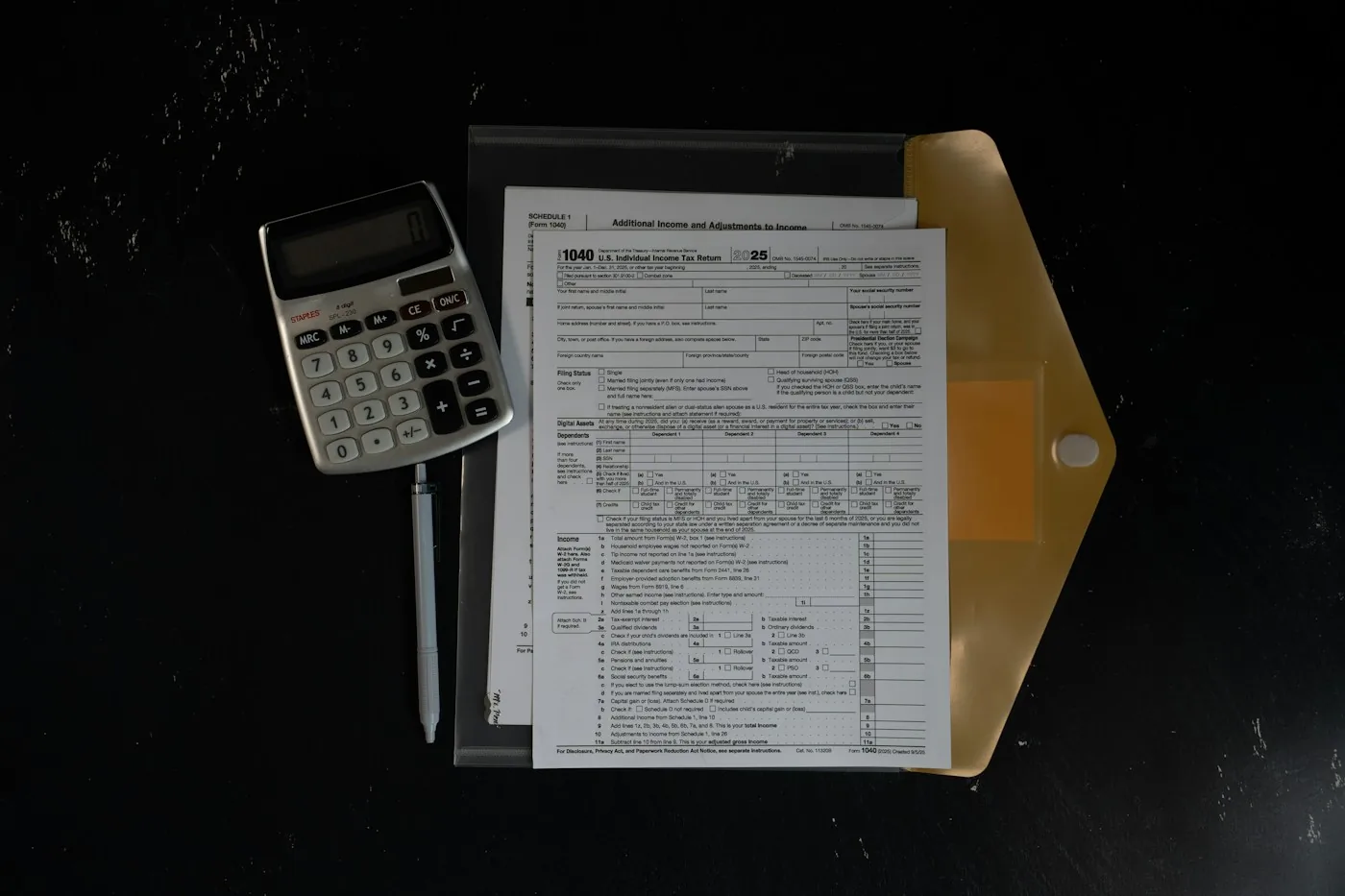


AI document intelligence handles three document classes. Layout behavior decides the extraction approach for each class.
03 / DOCUMENT INTELLIGENCE
Each stage adds structure: collect, prepare, classify, extract, validate, then review and export. Every extracted value keeps its source location.

Start with full review. Increase automation only as each field holds its agreed accuracy and validation checks pass.
AI document intelligence runs each file through six pipeline stages. Each stage adds one layer of structure to the file.
Ingestion. Connectors collect files from email inboxes, scanners, SFTP folders, portals and APIs.
Image preprocessing. Preprocessing deskews pages, removes noise, corrects orientation and splits multi-page files.
Classification and splitting. Classifiers label each page by document type and separate a mixed batch into individual documents.
Extraction. Models read key-value pairs, tables, checkboxes and signature fields. Each value keeps the page coordinates it came from.
Validation. Rules check sums, dates, formats and master-data matches. Low-confidence fields move to review.
Human review and export. Reviewers correct flagged fields beside the source image. Approved records reach the target system through API integration with ERP, claims or document management platforms.
Reviewer corrections become labeled training data for the next model version.
04 / DOCUMENT INTELLIGENCE
Production pipelines can mix templates, trained layout-aware models and vision-language models. Compare what each method needs and where it struggles.
Extraction method choice follows document class, volume and layout variety. Production pipelines mix methods within one document type.
Grounding checks confirm that each generated value appears in the document text at its recorded position. Values without a source location go to review.
05 / DOCUMENT INTELLIGENCE
Confidence is one signal. Arithmetic, cross-document matching and reference lookups decide whether a field can move forward or needs a person. Try the fictional invoice below.
SOURCE DOCUMENT / PAGE 1
The source stays beside the extracted record.
| Field | Value | Score | Check |
|---|---|---|---|
Arithmetic:
Review:
Validation decides whether an extracted value posts automatically or waits for a person. Four rule types carry that decision:
Confidence thresholds: per-field cutoffs, stricter for amounts and account numbers than for free-text notes.
Arithmetic checks: line items, tax and freight sum to the stated total.
Cross-document matching: invoice, purchase order and goods receipt agree on quantity and price.
Reference lookups: vendor master, policy register or National Provider Identifier (NPI) registry confirms that a code or ID exists.
Validated invoice and claim records become the input that intelligent automation bots post and reconcile in ERP systems.
06 / DOCUMENT INTELLIGENCE
Start with one document type and a clear target schema. The field rules and reviewers should reflect the work that uses the record.
Document intelligence use cases differ by industry because each sector runs on its own document set.
Finance and accounts payable: supplier invoices, credit notes, remittance advice and bank statements.
Insurance: first notice of loss forms, ACORD forms, repair estimates and medical bills attached to claims.
Healthcare: referral letters, prior authorization forms, CMS-1500 and UB-04 claim forms and EOB statements.
Banking and lending: pay stubs, W-2 forms, tax returns and bank statements for income verification.
Logistics: bills of lading, commercial invoices, customs declarations and proof-of-delivery receipts.
Human resources: identity documents, signed offer letters and tax forms collected during onboarding.
Legal and procurement: contracts reviewed for parties, renewal dates or obligations.
Public sector: benefit applications, permits and correspondence with supporting evidence.
07 / DOCUMENT INTELLIGENCE
A document-wide score can hide an unreliable amount or account number. Measure each field and the work that still goes to reviewers.

Compare each extracted field with its verified value.
Check whether each page reaches the correct document type.
Measure how many fields need people at the chosen cutoff.
Audit approved records for remaining mistakes.
Document extraction accuracy is measured per field, not per document. Four measures show real performance:
Field-level accuracy: share of extracted fields that match the verified value, reported for each field.
Classification accuracy: share of pages assigned the correct document type.
Review rate: share of fields routed to people at the chosen confidence cutoff.
Post-review error rate: errors found in approved records during audit samples.
Baselines come from a labeled sample of production documents, scored before the build starts.
08 / DOCUMENT INTELLIGENCE
Include rare layouts and poor scans in the sample set. Choose methods against a labeled baseline, connect the review queue and tune thresholds in a supervised pilot.

Start with full review. Increase automation only as each field holds its agreed accuracy and validation checks pass.
AI document intelligence projects move through five delivery steps. Each step uses real production documents instead of vendor sample files.
Sample collection. Operations teams export a batch per document type, including poor scans and rare layouts.
Ground-truth labeling. Analysts label each target field to build the scoring set.
Method selection. Engineers score candidate methods on accuracy, cost per page and latency.
Integration build. Developers connect ingestion sources, the review queue and export to the target systems.
Pilot and threshold tuning. Teams run live documents with full review first. Automation rises field by field as accuracy holds at the agreed level.
09 / DOCUMENT INTELLIGENCE
Personal and health data need explicit boundaries around model calls, hosting, review access and audit trails.

Mask identity and account numbers before sending a page to an external model.
Match engine and model hosting to contractual and regulatory requirements.
Assign reviewers only the document types they need.
Record each view, correction and export with user and time.
Data protection in document intelligence limits which people and systems see each document. Pipelines that handle personal or health data apply four controls:
Redaction before external calls: identity numbers and account numbers masked before a page reaches an external model.
Regional processing: OCR engines and models hosted in the region that contracts and regulations specify.
Role-based review queues: reviewers see only the document types assigned to them.
Audit logs: each view, correction and export recorded with user and time.
Cloud engineering sets up regional hosting and private network paths to model endpoints. Cybersecurity testing checks review screens and document storage for data leakage.
10 / DOCUMENT INTELLIGENCE
Extraction produces structured data. Decision models, automation, agents and copilots can then use that record in the wider workflow.

Use validated fields as inputs to forecasts and risk models.
Post and reconcile approved records inside ERP workflows.
Carry an extracted case across systems under scoped controls.
Bring document summaries and drafts into staff applications.
AI document intelligence owns the step from file to validated record. Neighboring AI services start after that step or replace it when fields are not the goal.
Downstream, validated records feed AI decision intelligence models that score credit, fraud or claim risk. Agentic AI development builds agents that read an extracted case and act across systems. AI copilot development puts document summaries and reply drafts inside the tools staff use.
Answers drawn from whole documents without field extraction come from enterprise AI search and knowledge retrieval. Extraction inside one existing application screen belongs to AI integration. New products built around document models belong to AI software development. AI consulting and strategy ranks document use cases against other AI candidates.
11 / DOCUMENT INTELLIGENCE
Accounts payable, claims and onboarding experts define the fields and validation rules. Engineers build the models, integrations and review experience.

Extraction projects need people who know the documents as well as the models. Labeling rules and validation logic depend on accounts payable, claims or onboarding expertise.
Outsourcing suits a first document type that needs a working pipeline under one accountable team. Organizations without extraction specialists select an intelligent document processing company for that first build. Hiring in-house engineers keeps model tuning internal as new document types arrive. Typical roles include:
Document AI architect: chooses extraction methods, hosting and the review design.
Machine learning engineer: trains and evaluates classification and extraction models.
Data labeling lead: defines field rules and manages ground-truth labeling.
Integration developer: connects ingestion sources and target systems.
Process owner: sets confidence thresholds and approves validation rules.
12 / DOCUMENT INTELLIGENCE
Understand handwriting, model choice, multilingual documents and what happens when a classifier encounters an unknown type.
Yes. Handwriting recognition models read handwritten form fields and return a confidence score for each value. Accuracy depends on writing style, field boundaries and scan quality. Block capitals in boxed fields read more reliably than cursive notes in margins. Reviewers confirm low-confidence handwritten fields against the image.
No. Vision-language models read page images directly. Production pipelines still keep OCR and layout models for high-volume forms. Per-page model cost and latency rise with volume. Generated values need grounding checks against the page. Language models add the most value on free-text documents and rare layouts that defeat templates.
Yes. Multilingual OCR engines and document models read Latin, Arabic, Chinese or Cyrillic scripts. Support varies by engine and by script direction. Right-to-left scripts such as Arabic and Urdu need models trained on those scripts. Pipelines detect the language of each page and route it to the matching model.
Unclassified documents move to an exception queue with the source image and the top candidate types. Reviewers assign the type or mark the file as out of scope. Repeated unknown types signal a new document class. Analysts then add samples of that class to the training set and retrain the classifier.
13 / DOCUMENT INTELLIGENCE
Choose an invoice, claim form or another file staff key by hand. Score a labeled sample before choosing a platform or committing to a build.

Choose one document type that staff key by hand today, such as supplier invoices or claim forms. AppsGlobal labels a sample batch and scores extraction methods against it. You receive field-level accuracy for each target field, the layouts that fail and the review rate at a proposed confidence threshold. Those scores give your team a fixed benchmark for comparing vendors, platforms and in-house builds.